iPhone & iPad

Your chord sheets, in a form you can actually read on stage.

Write a song once. Play it in any key, with whoever is singing it tonight. ChordSheetz keeps your whole library on your iPhone and iPad — and on your bandmates’ devices too.

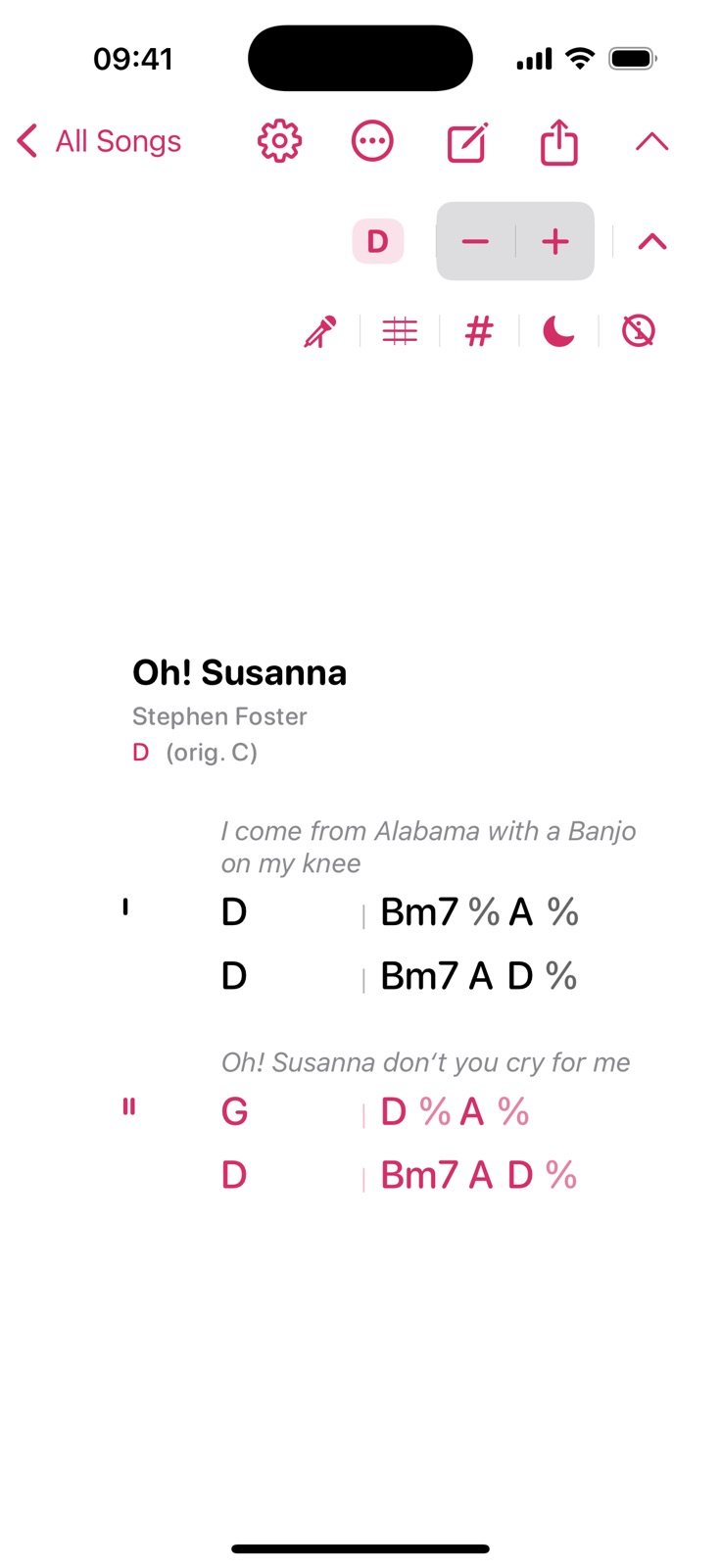
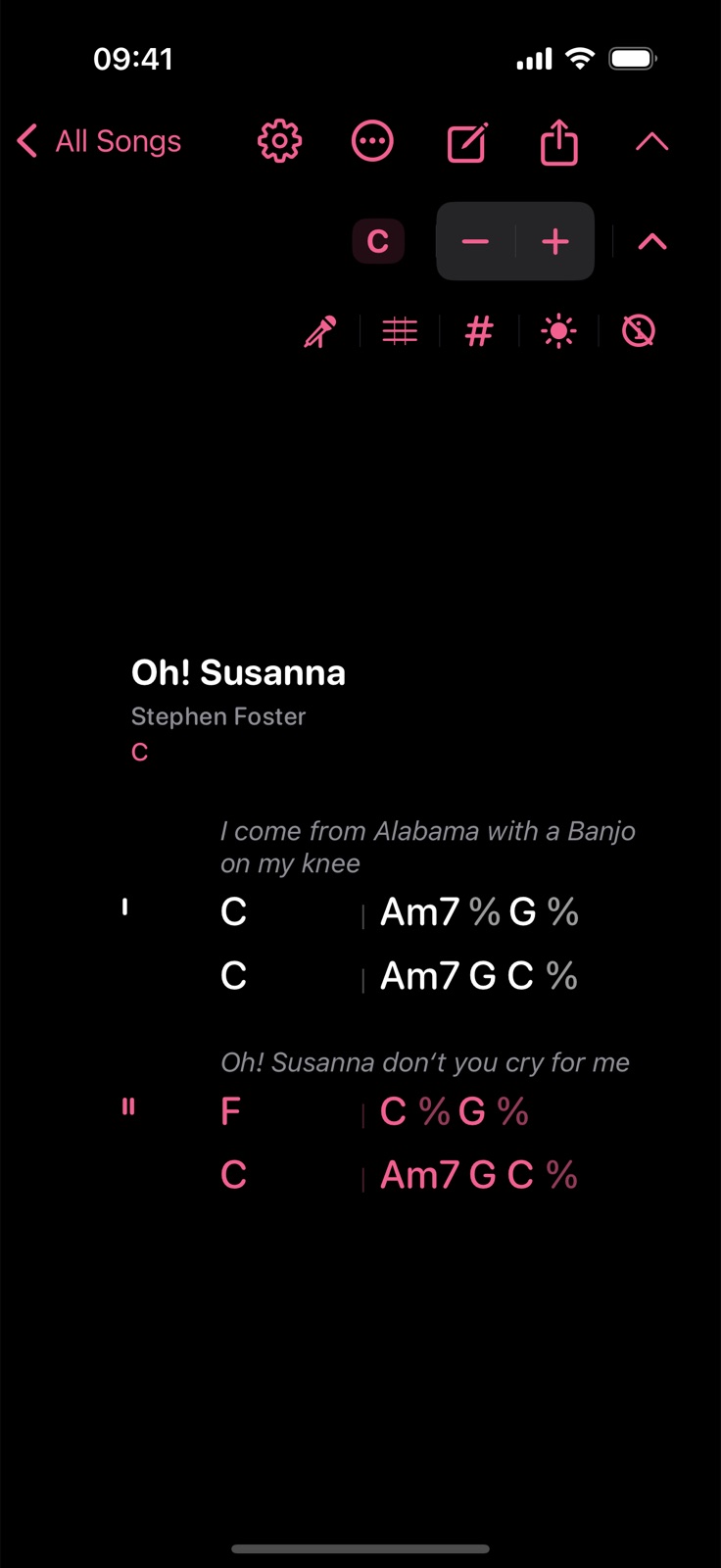
Oh! Susanna on the Chord Sheet in C, with the toolbar open in the top right

Oh! Susanna, in C. The toolbar sits in the top right.

Free for up to 20 songs Works offline No account No ads No analytics iOS 17 or later

The Chord Sheet

Everything for the song, in the top right.

Plain chords, grouped into song parts. Above them, the toolbar: key, transposing and the tools you need while playing. Tap a number, or a name in the list.

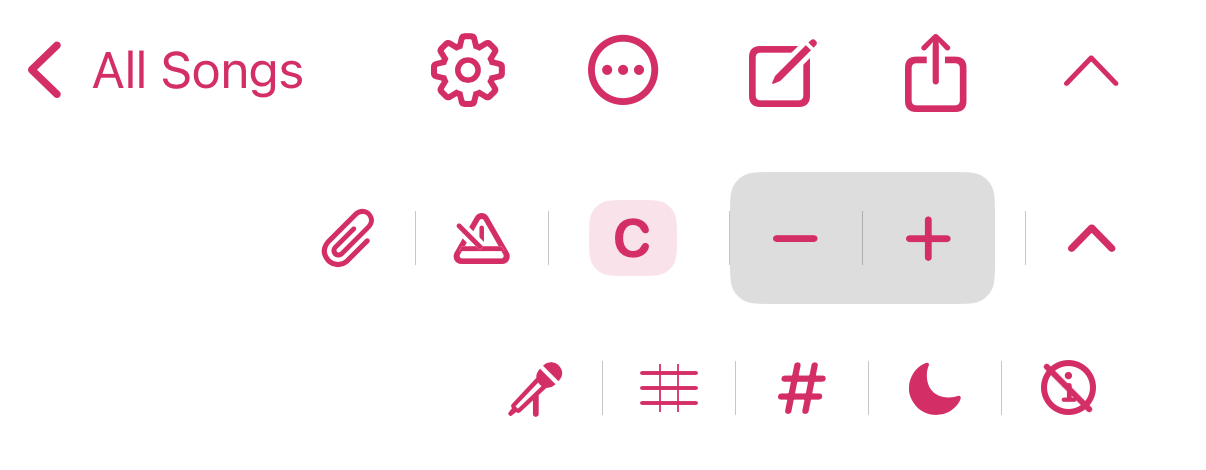
The toolbar of the Chord Sheet: a top bar with Main Menu, Song Menu, Edit Song, Share Song and Hide Toolbar, and below it two rows of tools

Attached File, Metronome and Reset Zoom only appear when a song has them.

Top bar

  1. 1
    Main MenuThe app as a whole: new songs and setlists, singers, metronome, page turner, appearance, sync and help.
  2. 2
    Song MenuThis one song: duplicate, mark as favorite, keep for yourself, attach a file, export.
  3. 3
    Edit SongOpens the Song Editor.
  4. 4
    Share SongSend the song to someone, as a ChordSheetz file.
  5. 5
    Hide ToolbarJust the chords. Tap the chevron again to bring the toolbar back.

Toolbar

  1. 6
    Attached FileOpens the attached PDF or image.
  2. 7
    MetronomeClicks at the song’s tempo.
  3. 8
    KeyOpens the key picker: pick any key, go back to the song’s own, or keep this one for next time.
  4. 9
    TransposeIn half steps.
  5. 10
    More ToolsShows or hides the lower row.
  6. 11
    Singer KeysTap a singer’s name to play the song in their key.
  7. 12
    CapoPick a fret. The chords show the shapes to play.
  8. 13
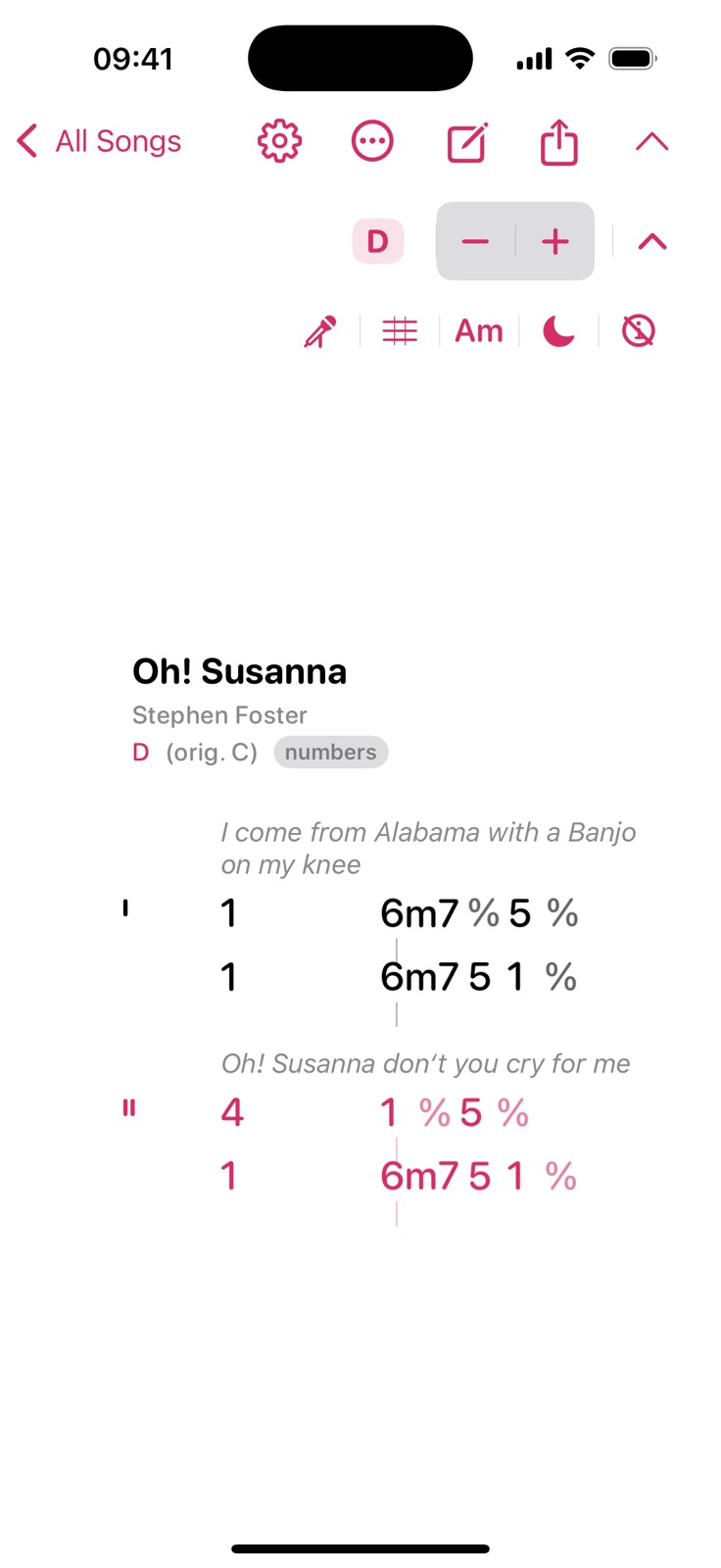
    Letter/Number ToggleC F G, or 1 4 5.
  9. 14
    Light/Dark Theme ToggleFor a bright stage or a dark one.
  10. 15
    Hide/Show Song DetailsTitle, artist and key above the chords.

Try it

Write it once. Read it in any key.

You write chords as letters or as numbers. Numbers follow the key, so the whole song moves when you change it. A blank line starts a new song part.

# I come from Alabama… 1 | 6m7 6m7 5 5 | 1 | 6m7 5 1 1 | # Oh! Susanna… 4 | 1 1 5 5 | 1 | 6m7 5 1 1 |

This is what you type in the Song Editor. Or import a chord sheet from text or a PDF.

Oh! Susanna
Stephen Foster
C
Tap a key

App structure

Three screens, always in the same order.

Pick something in the Sidebar, a song in the Song List, and play from its Chord Sheet.

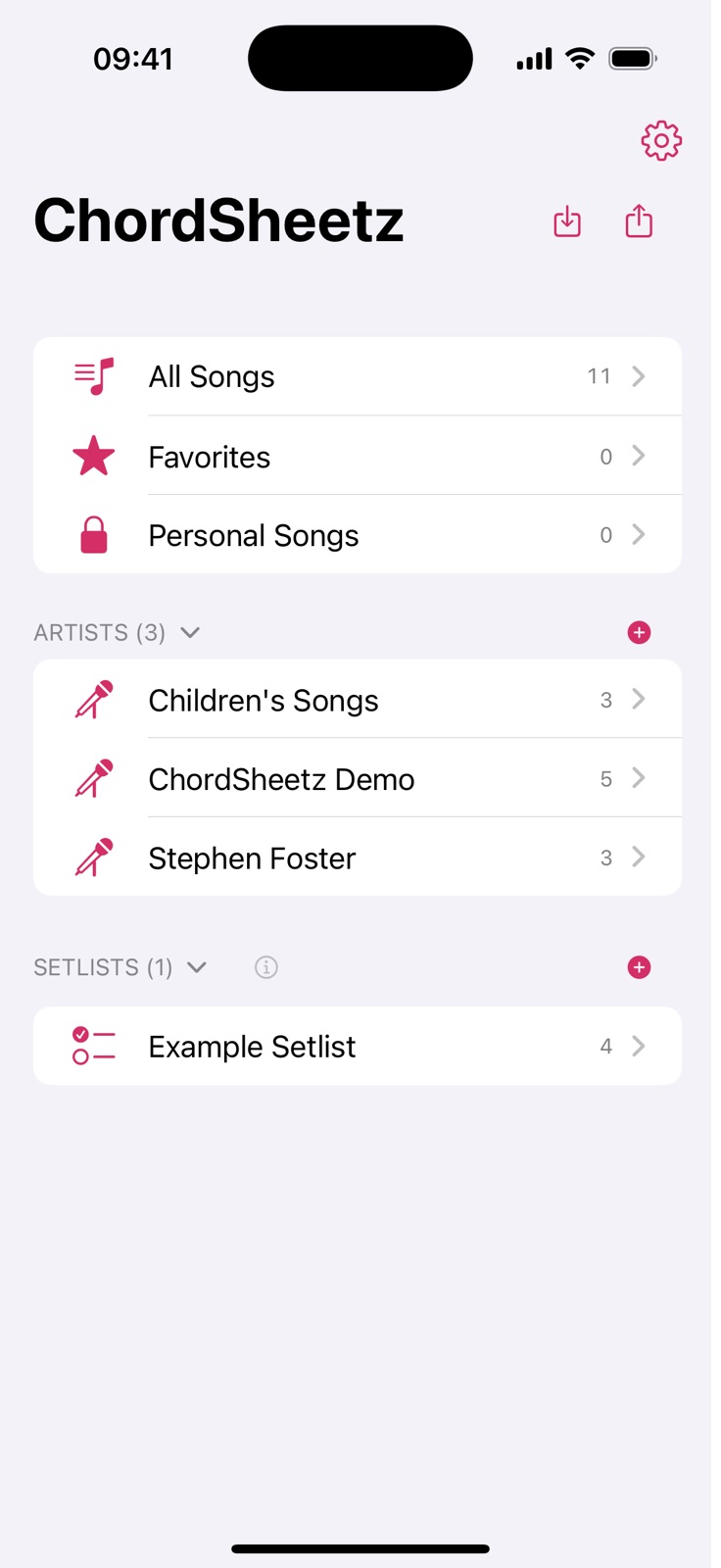
The Sidebar: All Songs, Favorites, Personal Songs, artists and setlists
1

Sidebar

All Songs, Favorites, Personal Songs, your artists and setlists.

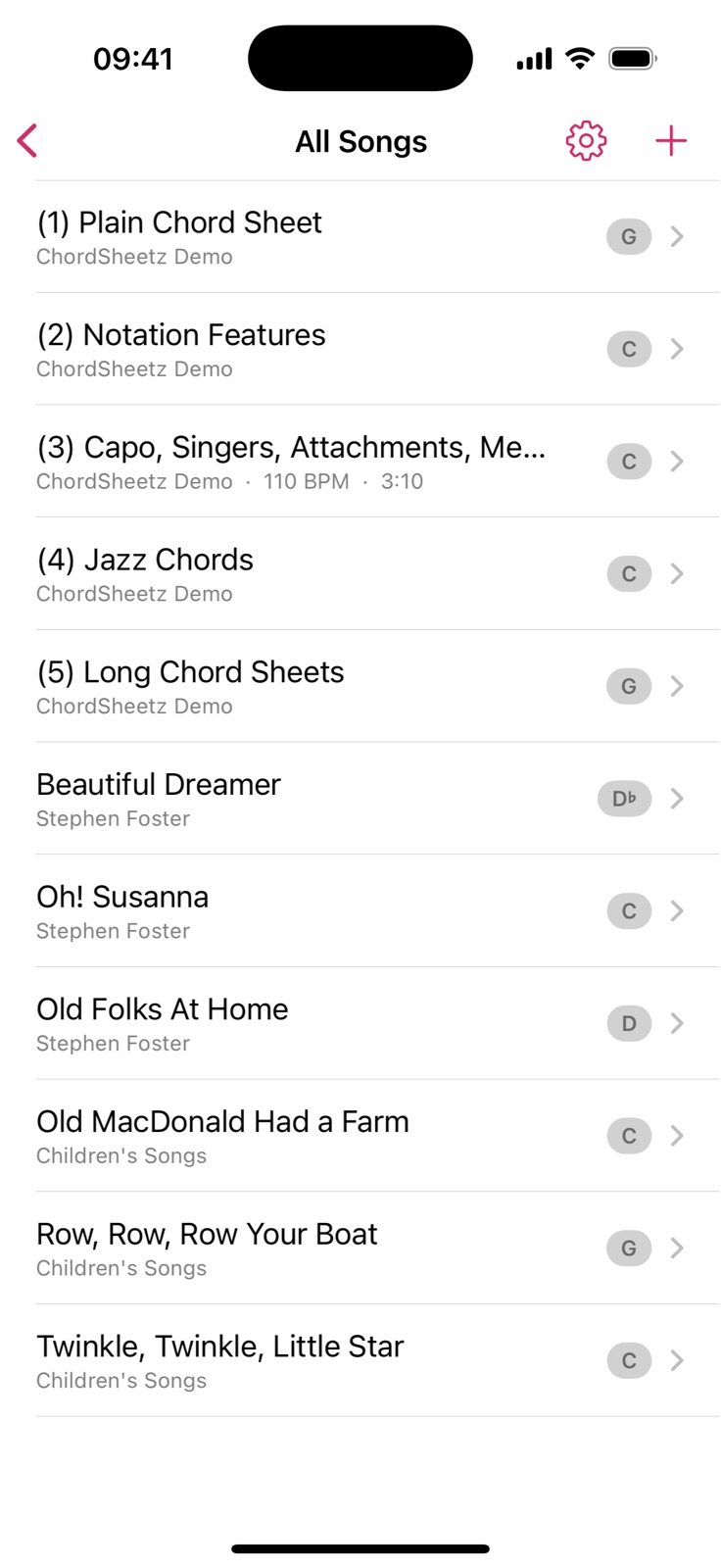
The Song List: every song with its artist and key
2

Song List

The songs of what you picked in the Sidebar — an artist’s songs, or a setlist in its running order.

The Chord Sheet of Oh! Susanna
3

Chord Sheet

Of a selected song, with the toolbar in the top right. Swipe for the next song.

On iPad, all three sit side by side. Tap the Chord Sheet for Full Screen.

What’s in it

Everything a working set needs. Nothing else.

Built to be read at arm’s length in bad light, by someone who is about to count in.

Any key

Chord sheets in any key

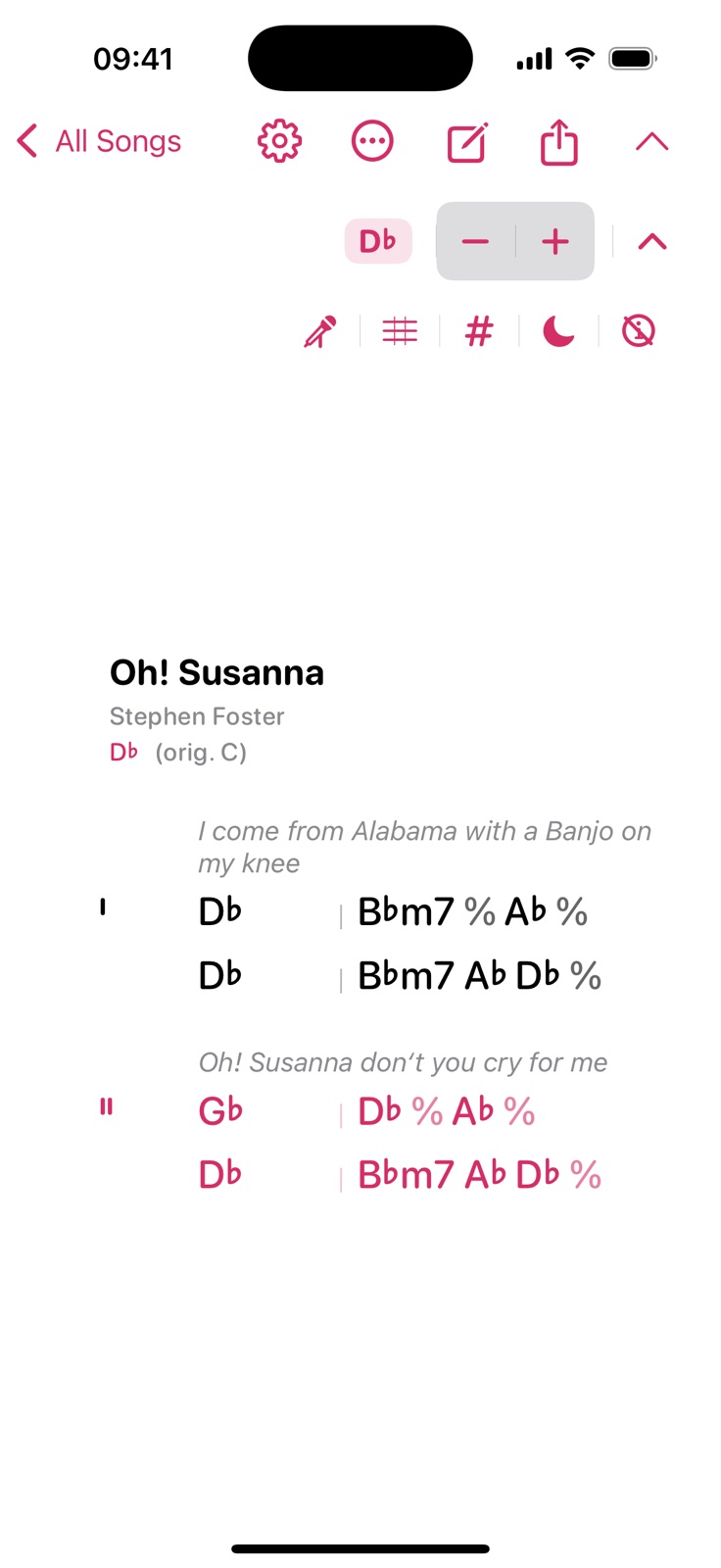
Write chords as letters or as numbers. Change the key with + and −, or pick one from the key picker. Read the result in letters or numbers, whichever you think in.

Setlists

Setlists for rehearsals and gigs

Put songs in running order, see the running time, and swipe from one song to the next. Give a song its own singer and key, just for this setlist.

Singers

A key for every singer

Save each singer’s key once. Tap their name in the toolbar and the song moves to it. Capo settings live with the song, too.

Attached File

Keep the original

Attach the PDF or image you worked the chords out from, and open it from the toolbar. Import chords from text or a PDF: the import is a first draft you check before saving.

Sync

Your iPhone and your iPad

Turn on Sync and your library follows you across all devices in the same iCloud account: songs, setlists, singers and attached files. Off until you turn it on.

Sharing

Send one song, or all of them

Send a song, an artist, a setlist or your whole library as a ChordSheetz file — by AirDrop, Messages or Mail. Or invite your band with a link.
On stage

Two bars from the end is no time to be tapping.

Swipe for the next song, pinch to zoom. The screen stays on while a Chord Sheet is open.

  • Song parts in alternating colors. Verse, chorus, verse — your eye finds the next part without headings.
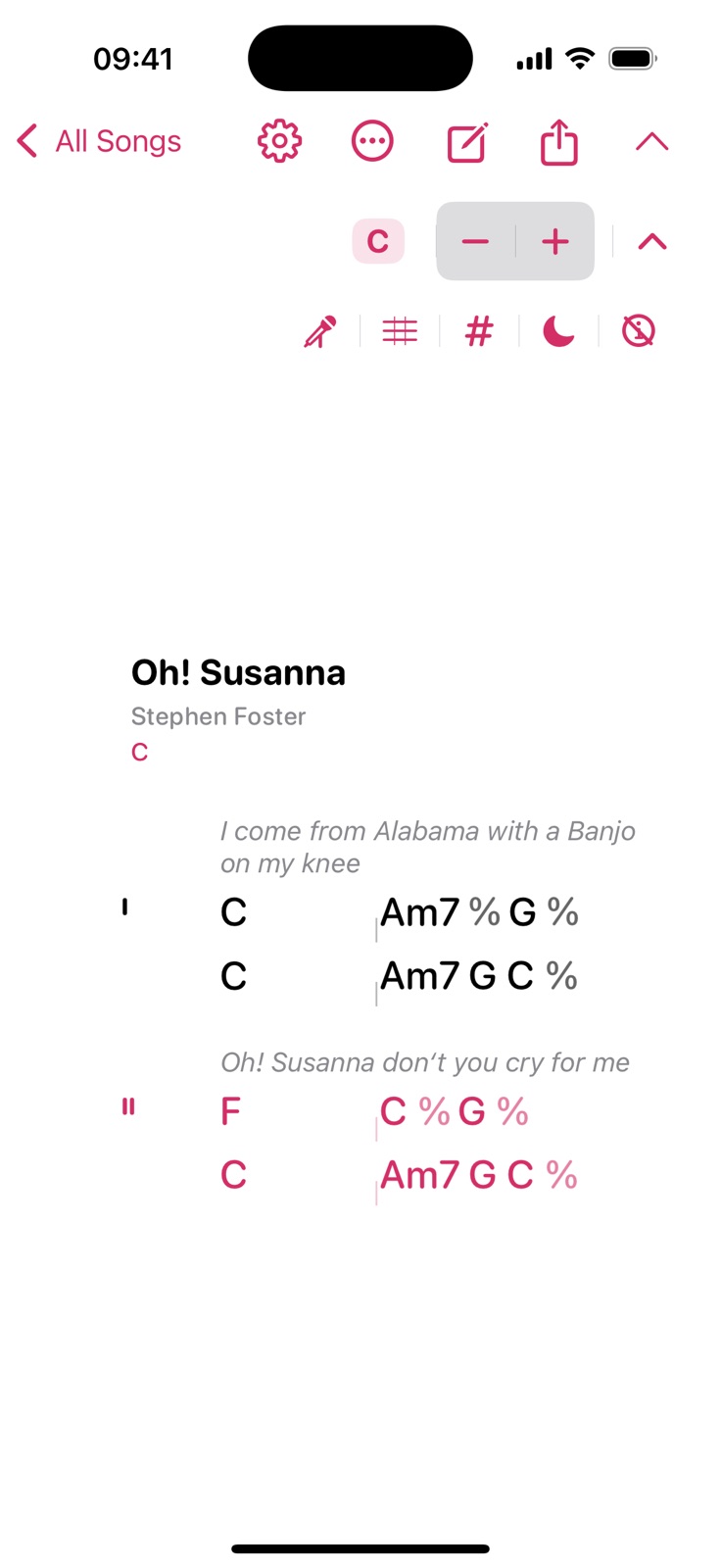
  • Dark theme. One tap in the toolbar, for a dark stage.
  • Metronome. Any song with a tempo has a count-in one tap away.
  • Page Turner. Next page or next song with a Bluetooth pedal.
  • Full Screen. On iPad, tap the Chord Sheet to hide the other columns. Tap again to bring them back.
Oh! Susanna on the Chord Sheet in the dark theme

Band Sharing

One library, four phones, no group chat archaeology.

Share your library with your band through iCloud and an invite link. Your bandmates get your latest songs when they choose to — not in the middle of the second set.

Update

When they’re ready, not mid-gig

A bandmate taps Update to get the band’s latest songs. Nothing changes under them while they play. If they leave the band, the songs they already have stay in their library.

Personal Songs

Not everything is for everyone

Mark a song Keep for Myself and it stays out of the band’s library. It still syncs to your own devices.

Free & Paid

Start free. Pay once if you need more.

Free

Everything you need for your own songs.

  • A library of up to 20 songs
  • Song editing and importing
  • Setlists, singers, metronome and page turner
  • Sync across your own devices
  • Local Safety Copies
  • Receiving shared files

Bought it already, on this or another device? Restore Purchases brings it back with the same Apple Account. Every band member needs paid access to join a band.

No accountOpen it and start writing. There is nothing to sign up for and nothing to log into.
No analyticsNo third-party SDKs, no tracking, no ads. Apart from iCloud, the app makes no network calls.
Your iCloudThe only thing that goes anywhere is your library, to your own iCloud account, if you turn Sync on.

Almost there

ChordSheetz is coming to the App Store.